Pages

Showing posts with label Back Up. Show all posts

Thursday, 30 July 2015

http://goo.gl/i0x1X5 AOMEI Backupper Standard 3.0

AOMEI Backupper Standard 3.0
FREE Backup Software Protect
System & Data of Your PC
Choose AOMEI Backupper Standard to
retain your memories
Suffer a lot from data loss? Or worry about this will happen to you in the future? Then, why not backup your system, disks and files in advance, and once accidents happen, restore them all back immediately. AOMEI Backupper Standard is an all-in-one backup and recovery software which is easiest and faster for users, even you aren’t an IT expert.
  • Backup system and create a system image to keep Windows and applications safe.
  • Back up entire hard disk or specified partitions, or just cloning them.
  • Save time and effort with automatic backup and incremental backup only for modified or added files.
  • Back up your most important files and folders on a regular basis.
What can AOMEI Backupper Standard do?
To rescue system failure or data loss, backup is important and necessary. AOMEI free backup software provides basic and advanced features to ensure the safety of your system and data.
When disaster happens (e.g. system crash, virus infection, accidental error), you can restore everything back to its original state or retrieve lost/deleted data.
AOMEI Backupper Standard is also free system, partition and disk cloning software. It enables you to migrate system drive, transfer data, upgrade disk, or replace old small hard drive with new large one.
There are many other useful features included in AOMEI Backupper Standard Edition. With these functions, you can manage your backups even better. Here are just some of them.
FeaturesAB StandardAB Professional
System backup and restore
Disks backup and restore
Partitions/Volumes backup and restore
Files/Folders backup, sync and restore


(Faster)


Schedule backup
Incremental backup
Differential backup
Restore system to dissimilar hardware
Disk clone
Partition clone
System clone

(Need to unlock)
Command line backup
Merge backup images
Backup disk space management
PXE boot tool
3 client computers
Unlimited client
computers

Windows 10, Windows 8.1/8, Windows 7, Windows Vista, and XP
Windows Server 2003, Windows Server 2008 and 2008 R2
Windows Server 2012 and 2012 R2, Windows Home Server 2011
Windows Small Business Server (SBS) 2003, 2008, 2011
Priority technical support
Low
Medium

License type
Freeware
2 PCs/License


$49.00
2 PCs
Lifetime Free Upgrades

http://goo.gl/i0x1X5

Thursday, 5 March 2015

http://goo.gl/phwKKw My Contacts Backup Pro

My Contacts Backup Pro
My Contacts Backup Pro is the easiest way to backup and restore your contacts all from your phone without needing a computer or synchronization. You can backup all your contacts with a single touch and send it to yourself as a .vcf attachment via email.

All contacts can then easily be restored any time by simply opening the .vcf file in your mailbox.

Key Features:

* Offline Backup. No need to sync to any server. Just email the backup file to yourself.
* Easy restore. No need to use any app to restore backup file. Just tap on the *.vcf backup file in the iPhone, iPod Touch or iPad mail client.
* Easily transfer contacts between iOS Devices using just an email client.
* Edit contacts (update, delete, add) using Wi-Fi Manager option via browser on your computer.
* Save vCard (VCF) backup file to your computer or upload from your computer via Wi-Fi Manager feature.
* In App vCard Restore
* Dropbox Support
* Remove identical or duplicate contacts.
* Export your contacts in the form of multiple vCard files.
* Save backup file to your computer via iTunes File Sharing feature.
* Set REMINDER to backup regularly (weekly or monthly) 
* Backup Contacts as VCF (VCard) or Export Contacts as CSV (Excel) file
* Delete All Contacts in Address Book
* No ads.

----------
IMPORTANT NOTE: After sending backup file (*.vcf) to yourself, please check your inbox to sees if message arrived and contains attachment (backup file). Sometimes email providers block attachments if attachment size is too large. Try with another mail account if possible, to send your backup file. Or save backup file to your computer via Wi-Fi Download option..

iPhone Screenshot 2
http://goo.gl/phwKKw

http://goo.gl/Alvvgk Super Backup : SMS & Contacts

Super Backup : SMS & Contacts
Cover art
The fastest data backup tool on android!
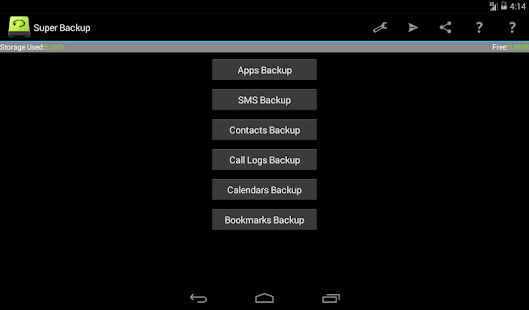
You can backup apps & contacts & SMS & Call logs & Bookmarks & Calendars to the SD card/Google Drive/Gmail. You will never lose your data again!
To get the Ads free pro version, please click here:Super Backup Pro
★Important Notice!!!
If your phone has inbuilt storage, the default backup location will probably be the internal storage card and not the external.
This is because the phone reports the storage that way.
If you intend to do a factory reset on the phone, please make sure default backup folder is in your external SD card before doing it. If not, please copy the entire backup folder ("SmsContactsBackup" by default)to your external SD card
Features:
-Backup apps to SD card
-Backup & restore app's data(need root)
-Batch restore apps from SD card (need root)
-Backup Contacts & SMS & Call logs & Bookmarks & Calendars to SD card
-Restore Contacts & SMS & Call logs & Bookmarks & Calendars from SD card
-Can select SMS conversations to backup
-Delete the backup data on SD card
-Schedule automatic backups
-Auto upload scheduled backup files to your Google Drive or Gmail
-Can download backup files from Google Drive
-Show last backup count & time
-User can change backup folder path in Settings
-Can backup Contact's group and picture properties

About Permissions:
READ YOUR TEXT MESSAGES (SMS OR MMS)/EDIT YOUR TEXT MESSAGES (SMS OR MMS)
These permissions are used to backup & restore your SMS
READ YOUR CONTACTS/MODIFY YOUR CONTACTS
These permissions are used to backup & restore your Contacts
WRITE WEB BOOKMARKS AND HISTORY/READ YOUR WEB BOOKMARKS AND HISTORY
These permissions are used to backup & restore your Bookmarks
READ CALENDAR EVENTS PLUS CONFIDENTIAL INFORMATION/ADD OR MODIFY CALENDAR EVENTS AND SEND EMAIL TO GUESTS WITHOUT OWNERS' KNOWLEDGE
These permissions are used to backup & restore your Calendars
READ CALL LOG/WRITE CALL LOG
These permissions are used to backup & restore your Call logs
Translations:
- Italian- Thanks to Emmanuel Avetta
- Portuguese - Thanks to Emmanuel Avetta
- Korean - Thanks to 장승훈
- Hungaria - Thanks to Balu & Hevesi J.
- Turkish - Thanks to Fatih Fırıncı
- Arabic - Thanks to Falcon Eye
- Polish - Thanks to Alvin Świtała
- Russian - Thanks to Сергей Приклонский, Mikhail Medvedev
- Ukrainian - Thanks to Mikhail Medvedev

Thursday, 11 September 2014

http://goo.gl/sPBqXA Super Backup : SMS & Contacts

Super Backup : SMS & Contacts
Cover art
The fastest data backup tool on android!
You can backup apps & contacts & SMS & Call logs & Bookmarks & Calendars to the SD card/Google Drive/Gmail. You will never lose your data again!
To get the Ads free pro version, please click here:Super Backup Pro
★Important Notice!!!
If your phone has inbuilt storage, the default backup location will probably be the internal storage card and not the external.
This is because the phone reports the storage that way.
If you intend to do a factory reset on the phone, please make sure default backup folder is in your external SD card before doing it. If not, please copy the entire backup folder ("SmsContactsBackup" by default)to your external SD card
Features:
-Backup apps to SD card
-Backup & restore app's data(need root)
-Batch restore apps from SD card (need root)
-Backup Contacts & SMS & Call logs & Bookmarks & Calendars to SD card
-Restore Contacts & SMS & Call logs & Bookmarks & Calendars from SD card
-Can select SMS conversations to backup
-Delete the backup data on SD card
-Schedule automatic backups
-Auto upload scheduled backup files to your Google Drive or Gmail
-Show last backup count & time
-User can change backup folder path in Settings
-Can backup Contact's group and picture properties

About Permissions:
READ YOUR TEXT MESSAGES (SMS OR MMS)/EDIT YOUR TEXT MESSAGES (SMS OR MMS)
These permissions are used to backup & restore your SMS
READ YOUR CONTACTS/MODIFY YOUR CONTACTS
These permissions are used to backup & restore your Contacts
WRITE WEB BOOKMARKS AND HISTORY/READ YOUR WEB BOOKMARKS AND HISTORY
These permissions are used to backup & restore your Bookmarks
READ CALENDAR EVENTS PLUS CONFIDENTIAL INFORMATION/ADD OR MODIFY CALENDAR EVENTS AND SEND EMAIL TO GUESTS WITHOUT OWNERS' KNOWLEDGE
These permissions are used to backup & restore your Calendars
READ CALL LOG/WRITE CALL LOG
These permissions are used to backup & restore your Call logs
Translations:
- Italian- Thanks to Emmanuel Avetta
- Portuguese- Thanks to Emmanuel Avetta
- Korean- Thanks to 장승훈
- Hungaria- Thanks to Balu
Super Backup : SMS & Contacts - screenshot thumbnail
http://goo.gl/sPBqXA

http://goo.gl/yOhvwW G Cloud Backup

G Cloud Backup
Cover art
The easiest Android Backup app that secures your contacts, call logs messages, music, videos, family photos, and other personal (irreplaceable) data to secure, cloud-based servers for Free. So you don’t have to ever worry about theft and/or accidental damage (e.g. dropping your phone). 2 simple steps to setup your backup and you are done. G Cloud will automatically backup your data without any intervention.
Be one of the 1M+ users who trust G Cloud to protect their Android with ease
Recommended by Android central
“The app itself is so incredibly simple to use, with a very simple user interface. But, you'd be foolish to let that temper opinions. G Cloud Backup has a pretty extensive feature list.”
http://www.androidcentral.com/g-cloud-backup-isn-t-made-google-does-pretty-good-job-backing-your-android-device
CNet
“You won't find many other backup solutions as complete and adroit as G Cloud Backup.”
http://download.cnet.com/G-Cloud-Backup/3000-2242_4-75749505.html
Please note that this app requires the privileges to backup and restore your SMS, call logs, system settings, calendar and to locate your lost device, we do not erase your data off your phone, send messages or locate your device without your consent. Disabling these options will also disable the use of its privilege, please review our data privacy for more info.
FEATURES:
✮✮ New: Cloud Gallery: Your life memories in a Timeline ✮✮
✮✮ New: Locate your lost android on a map and so much more! ✮✮
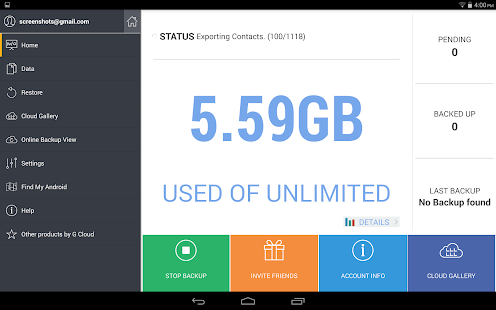
► Backup Messages (SMS), contacts, call logs, documents, settings, photos, videos and music
► Start with 1 GB free and earn up to 10 GB easily
► Access your messages, call logs, download contacts, share music, videos and view photos from the web: http://www.gcloudbackup.com
► Protect the App with a passcode
► Upgrade to unlimited storage for only $1.99/mo.
► Protect more than one device
► Secure data transfer (Secure Socket Layer) and storing (256-AES)
► Backs up to the secure and reliable Amazon AWS cloud storage
► Daily automatic backups when WiFi is available, plugged in, or have plenty of battery life
► Easy mobile to mobile restore and same device restore.
► No rooting or special configuration required
► Backup External SD cards
► Restore/Migrate to a new device with a tap
► Backs up every version of all files
► Advanced options to change daily schedule, disable automatic schedule, backup over 3G, and more
HOW TO BACKUP ANDROID PHONES
1- Download G Cloud for FREE
2- Create an account
3- Select what to backup
HOW TO RESTORE/REPLACE ANDROID PHONES
1- Download G Cloud for FREE
2- Log in with your email and password
3- G Cloud will detect is this is a new phone and ask you what to restore, or restore everything for you in a tap
If you have any questions or inquires please contact: support@gcloudbackup.com
Before submitting a comment, we will get back to you ASAP
Thank you :)
G Cloud is currently in English, Chinese (Simplified and Traditional), Arabic, German, Hebew, Italian, Korean, Polish, Portuguese, Romanian, Russian, Spanish and Turkish. Help us make G Cloud in your language by translating the app, and we will give you unlimited G Cloud storage for free!
✮✮ Backup your apps settings, game levels, app customizations, and more with G Cloud Apps Backup. FOR ROOTED DEVICES ONLY.
To activate, please open G Cloud> Settings and tap install G Cloud Apps Backup. ✮✮
Tip: Got PC? Download Zoolz, another cool product from G Cloud team. Try it now FREE. https://www.zoolz.com
G Cloud Backup - screenshot thumbnail
http://goo.gl/yOhvwW

http://goo.gl/6xoBtu Mobile Backup & Restore

Mobile Backup & Restore
Cover art
Backup your Android phone and tablet.
Otherwise, all your accumulated contacts, music, videos, family photos, and other personal (irreplaceable) data are dangerously kept on a device with only temporary life. Back them up to secure, cloud-based servers, so you can relax about theft and/or accidental damage (e.g. a spilled cup of coffee).
Recommended by Lifehacker http://lifehacker.com/avast-mobile-backup-regularly-backs-up-your-android-to-1157080403
"There are plenty of great ways to back up your Android phone, but the new Avast! Mobile Backup makes it easy for anyone to do scheduled backups of their apps, settings, and data, and then sync all of that information to the cloud where you can quickly use it to set up a new phone."
The app backs up:
► Contacts
► SMS
► Call logs
► Photos
► Music (premium)
► Videos (premium)
► Apps (premium)
avast! Mobile Backup is a free Android backup solution provided by the makers of the top-rated and award-winning free avast! Mobile Security app with antivirus and anti-theft.
This app is FREE, but if you would like to backup also music, video, and apps, then you need to buy the Premium version (can be done later, from within the free version).
HOW TO BACKUP ANDROID PHONES
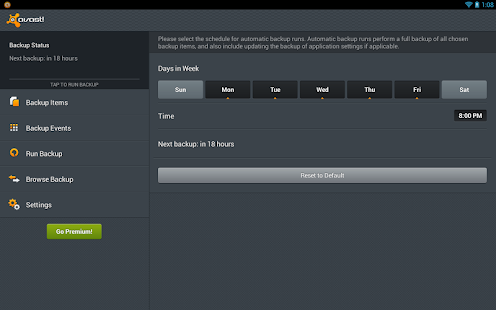
■ It automatically backs up your Android data, with various settings as to when you want it to backup – e.g. on a specific day/time (by default once per day), after a call, after SMS received, after an app is installed, after device start, whenever plugged in, or whenever connected to WiFi.
■ Your backed up data can then later be browsed and/or restored (with optional PIN protection) either directly from the backed up Android device, or from a different Android device (e.g. if you purchase a new phone and want to transfer contacts and SMS/call history from your old one).
■ Contacts and SMS/call logs are backed up to your personal AVAST Account (which can be used also to manage AVAST security software on all your devices, including PC and Mac).
■ Photos are backed up to Google Drive due to data size, so you need a Google account for Mobile Backup use.
■ Install avast! Mobile Backup for Android today – totally free. (Currently available only in English.)
NEW! PREMIUM (PAID-FOR) FEATURES
■ Backup Android apps, music, and videos to Google Drive. Apps, music/audio, and video, as well as settings and data for rooted phones, such as game progress – are backed up to Google Drive. Note that whatever is physically stored on Google Drive from this app will be also visible and accessible from your AVAST Account.
■ Easy in-app upgrade: Upgrade to avast! Premium at any time from within the free avast! Mobile Backup app.
■ Premium pricing (auto-renewal): £2 monthly, or £12 yearly. You can have Premium functions not only for avast! Mobile Backup, but also for avast! Mobile Security – for just one price!
For a full protection install avast! Free Mobile Security
https://play.google.com/store/apps/details?id=com.avast.android.mobilesecurity
Mobile Backup & Restore - screenshot thumbnail
http://goo.gl/6xoBtu

http://goo.gl/KwU3m3 My Backup

My Backup
Cover art
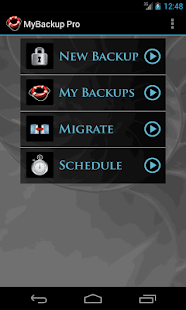
This is a lite version of MyBackup Pro. Giving you the ability to backup and restore all supported types to the local SD card. MyBackup is the easiest and most reliable Android backup solution available.
MyBackup Pro is the easiest backup for Android. Supporting the most content, and the most Android devices.
MyBackup and MyBackup Pro will work on all Android mobile devices, regardless if they have root access or not.
Backup (with schedule option) to our online secure servers, or SD card, your Applications, Photos, Music, Videos, Contacts, Call log, Browser Bookmarks, SMS (text messages), MMS, Calendar, System Settings, Home Screens (including shortcut positions), Alarms, Dictionary, Music Playlists, APNs and more...
Find out why over 3 million people trust MyBackup as their secure source for a Backup Solution.
View your data and application backups online, by logging into the Web Viewer at www.RerWare.com
Users who have a rooted phone: You can backup apk+data as well as market links!
NOTE: Data/setting of applications can only be supported if you have a rooted phone, or if the application integrates with us.
NOTE: Trial will work on one device. Backup can be restored to the same device, to go across another device (data migration), you will need MyBackup Pro.
__ ROOT ONLY PHONE FEATURES BELOW __
MyBackup Pro now comes with all MyToolbox features for Free.
This application will allow Root users to multi-select applications and perform the following functions with 0-click batch operations!
- Freeze bloatware, system apps
- UnFreeze frozen applications
- Wipe Cache of applications
- Wipe Data of applications
- Uninstall applications
- Break the Android Market Link to Apps
- Link Apps to the Android Market
- Force Close applications
_______________________

www.RerWare.com
My Backup - screenshot thumbnail
http://goo.gl/KwU3m3

Thursday, 1 May 2014

http://goo.gl/MnUfbV Contacts Transfer Backup Sync

Contacts Transfer Backup Sync
Cover art
In Touch App is simple, smart and FREE application for fully automatic contacts backup, sync and transfer. The app helps you easily manage your contacts across devices so you stay in touch with those that matter, forever! Never worry about your contacts ever again! The app works across Android, iPhone, iPad, Blackberry, Blackberry10.
COMPLETE BACKUP & SYNC: Securely backup your contacts and never worry about losing them. Sync your contacts to all your devices. Edit on one device and see the changes on others automatically.
AUTO-UPDATING CONTACTS: Get your contacts’ latest information automatically updated on your phone. When you change your information, it updates directly in their phone!
MEET & CONNECT: Easily exchange contact info when you meet people. Just type their IntouchID or use the integrated QR code scanner or give a missed call!
DIGITAL BIZ CARD: Go Green, save some tress, and never be without your biz card. Send professional looking biz card to contacts.
INSTANT TRANSFER TO NEW DEVICE: Buying a new or a second device? Just install IntouchApp and get all your contacts pushed to the new device! We support iPhone, iPad and Blackberry devices.
Watch the video below to learn how the IntouchApp magic works.
Learn about benefits of IntouchApp: http://www.IntouchApp.com/magic
We, at Intouch, are committed to keep you in touch with the people that matter to you by ensuring you have each other's latest contact information accessible all the time. We promise to give you lots of exciting value-add features very soon! Do Stay In-Touch!
Help us in spreading the word. Join us on
http://goo.gl/MnUfbV

http://goo.gl/Sv1Fca inDefend Mobile Backup

inDefend Mobile Backup
Cover art
Fast, free and encrypted cloud backup app for Android.
PLEASE NOTE:
inDefend Mobile Backup is not currently under active maintenance. Please redirect all queries to support@dataresolve.com.
inDefend Mobile Backup allows you to take backup of essential data from your smartphone and securely store it on our cloud server in encrypted format.
IMPORTANT: Users are advised to take a fresh backup of their data after an app upgrade.
* Selectively backup and restore messages, contacts, call logs , system settings, calendar, browser history and bookmarks
* Access all your backup states and export your backup data to your computer, using inDefend Mobile Backup - Desktop Agent. Find out more athttps://indefend.appspot.com/desktop.html
* Completely encrypted backup where you can keep upto 10 backup states per phone
* Access backup states of all your smartphones mapped to your inDefend Mobile Backup account
* Backup data is stored on our online secure servers. Data can be restored from our servers to your phone any time you want
* Automatic (scheduled) backup enables you to take backup of these items at a scheduled time
* Set email notifications per backup operation to keep a track of information backed up from your smartphone
* Extremely fast and easy to use
If you are unable to download our app from the Google Play store after an OS upgrade on your smartphone, you can always try downloading our app from our product website: https://indefend.appspot.com/download.html
If you are facing an issue while taking a full backup, try taking backups of individual components, one by one.
Kindly drop us an email with appropriate details if you are facing an issue while using the application. Our team will look into the issue and address it at the earliest.
Click the following link to access our product website: https://indefend.appspot.com
http://goo.gl/Sv1Fca

http://goo.gl/COJm05 MCBackup - My Contacts Backup

MCBackup - My Contacts Backup
Cover art
My Contacts Backup is the easiest way to backup and restore your contacts all from your phone without needing a computer or synchronization. You can backup all your contacts with a single touch and send yourself as a .vcf attachment via email.
All contacts can then easily be restored any time by simply opening .vcf file in your mailbox.
Key Features:
* Offline Backup. No need to sync to any server. Just email the backup file to yourself.
* Your adress book is secure and safe. We don't access or store your contacts.
* Easy restore. No need to any app to restore backup file. Just tap on the *.vcf backup file in the Android mail client.
* Easily transfer contacts between Android Devices using just email client.
* Copy backup file to your computer via USB cable feature.
* Set REMINDER to backup regularly (weekly or monthly)
* Backup Contacts as VCF (VCard)
http://goo.gl/COJm05

http://goo.gl/qWJWnL Contacts to ( Text,PDF,Email)

Contacts to ( Text,PDF,Email)
Cover art
❐ Contacts to Text: (50,000 + Downloads)
The Application is used to store contact details to text documents such as PDF Documents & Text Documents and (ADD to Email body Composer) Email the contact details & also used to send Contact details via (ADD to SMS body Composer)SMS [lot more features waiting to come]. Contact details such as ( Contact Name ,Contact profile Image ,Phone Numbers, Email address ,Internet call, Postal Address ,organization, Instant Message ,Notes, Nickname and websites ) are arranged in alphabetical order . By selection required Contact preview sample u can easy create your own Contact document.
❐ CONTACT DETAILS:
The following Contact details are used to create a Document.
» Contact Name
» Contact Profile image
» Contact Phone Number
» Email address
» Internet call
» Postal Address
» Organization
» Instant Message
» Note
» Nickname
» Web sites
❐ PRINT CONTACT SETTING.
The Following contacts details can set to Display/hide in the document. This document can be used for various purposes to make a list of contact name , contact phone numbers , contact address and so on this is easy and simple way to quick view of hole details in to an Document .
This document collects all the Contact details of device and used to show the details to make a particular selection from the list of contacts (with contact profile image), This contacts can be edited from the device by selected Edit Contacts in main screen.
✎ PDF Document: (only 1 preview sample in FREE version)
The contact details are convert into an PDF Document with security key . This helps Users to print their contacts details from this PDF Document.
The Application is designed in such a way that the user can Customize PDF document By various Preview samples of PDF Document , Also use have the Following Features
★ Font color
★ Font Size
★ Border Style
★ Border color
★ Background color
★ Alignments
★ Title of the Document
★ Subtitle
★ Page number
★ Contact Details Filter
★ Security password key
★ Compressing PDF Documents
✎ TEXT Document: (only 1 preview sample in FREE version)
The Contact details are converted in to TEXT Document (excluding Contact profile image ) . . This helps Users to print their contacts details from this Document.
✎ EMAIL Text:
The Contact details are converted in to text (excluding Contact profile image) and added to the Email composer to send an email. This helps Users to print their contacts details from the email.
SMS Text (460 Characters Only): (only 1 preview sample in FREE version)
The Contact details are converted in to text (excluding Contact profile image) and added to the SMS composer to send a SMS. This helps Users to share contacts details from the SMS service.
❐ FILE MANAGEMENT SYSTEM:
The converted Document is easy arranged in this system. Contact Document is saved in the home Directory. You can able to reset any were in the SD card. Easily viewed will the respective support to view document using some Viewers software. Application also support as a File manager (Open, Delete, Rename & share).
http://goo.gl/qWJWnL

http://goo.gl/7jnPZC Contact To Excel

Contact To Excel
Cover art
This app lets you save all your Android contacts as an excel file and export it to SD Card.
Features:
1. Converts all your Android contacts into Excel.
2. Excel file can be saved on the SD Card.
3. View/Edit the file on your device as well as desktop
5. Restore Contact vie Excel created by this App(Note: this feature is not available now)
Keywords: Excel,Backup,Contacts Backup,Contact Backup
http://goo.gl/7jnPZC

http://goo.gl/9rA5Sz Contacts Backup for Windows

Contacts Backup

Contacts Backup
Easily backup your contacts to .vcf file and upload it to the OneDrive.Application suppot all kind of accounts registered on your windows phone like Phone, Outlook, Facebook, Google, Skype account and etc.

** v3.0.0
- Added ability to copy backup file to SD card if presents
***

Backup process will backup all available information for contacts including full name, address, email, web and even contacts photo!

install
http://goo.gl/9rA5Sz

http://goo.gl/HNyjGl MCBackup - My Contacts Backup

for Android
MCBackup - My Contacts Backup
Cover art
Description
My Contacts Backup is the easiest way to backup and restore your contacts all from your phone without needing a computer or synchronization. You can backup all your contacts with a single touch and send yourself as a .vcf attachment via email.
All contacts can then easily be restored any time by simply opening .vcf file in your mailbox.
Key Features:
* Offline Backup. No need to sync to any server. Just email the backup file to yourself.
* Your adress book is secure and safe. We don't access or store your contacts.
* Easy restore. No need to any app to restore backup file. Just tap on the *.vcf backup file in the Android mail client.
* Easily transfer contacts between Android Devices using just email client.
* Copy backup file to your computer via USB cable feature.
* Set REMINDER to backup regularly (weekly or monthly)
* Backup Contacts as VCF (VCard)


for Itunes
My Contacts Backup
--- Over 3.000.000 iPhone and iPad users preferred our app to backup their contacts. Thanks you all for great & encouraging reviews. ---

"No signing in, no accounts, no activations, just send your contacts in a universal format to yourself or others through the mail app. This app backs your contacts up, or simply transfers them in a simple, tangible way that just about every device can read. Bravo!"

My Contacts Backup is the easiest way to backup and restore your contacts all from your phone without needing a computer or synchronization. You can backup all your contacts with a single touch and send them to yourself as a .vcf attachment via email.

All contacts can then easily be restored any time by simply opening the .vcf file in your mailbox with iOS Mail app.

Key Features:

* Offline Backup. No need to sync to any server. Just email the backup file to yourself.
* Easy restore. No need to use any app to restore backup file. Just tap on the *.vcf backup file in the iPhone, iPod Touch or iPad Mail client and restore your contacts for FREE. 
* In App vCard Restore Feature
* Set REMINDER to backup regularly (weekly or monthly)
* Easily transfer contacts between iOS Devices using just email client.
* Backup Contacts as VCF (VCard) or Export Contacts as CSV (Excel) file
* Delete All Contacts in Address Book
* VCF backup is limited to max 500 contacts. You need to download PRO version for unlimited contacts backup
http://goo.gl/HNyjGl

http://goo.gl/a1LsGT Easy Backup - My Contacts Backup Assistant for Apple

Easy Backup - My Contacts Backup Assistant
* Over 1,000,000 people love Easy Backup :)

* Backup your contacts with one tap! *

MAIN FEATURES
○ Backup your contacts with one tap!
○ Send the backup to your email!
○ Restore contacts easily from any iOS device!

Your contacts are the most important data in your phone which may be lost in seconds.
Easy Backup keeps your contacts in a safe place.

BACKUP
○ One tap to backup your contacts!
○ Quickly export your backups to Dropbox, Google Drive, Email
○ Move contacts between accounts (Exchange, iCloud, Local Address Book)

CLEANUP
○ Find & Merge duplicate contacts!
○ Remove contacts without name
○ Remove contacts without phone & email
http://goo.gl/a1LsGT

Related ...